![logo-modified.png]](https://support.skinconsult.com/hs-fs/hubfs/logo-modified.png?width=40&height=40&name=logo-modified.png)
First of all, make sure you are logged in on our SkinApp at https://app.skinconsult.com/ using the credentials we have provided you. If you did not receive credentials, please reach out to us at office@skinconsult.com
What is the Briefing page?
The Briefing page is a feature on the that allows us to know more about your product.
It asks you questions about your project, either when you create a new project, or when you choose do it at a later time it will appear under your Action Items.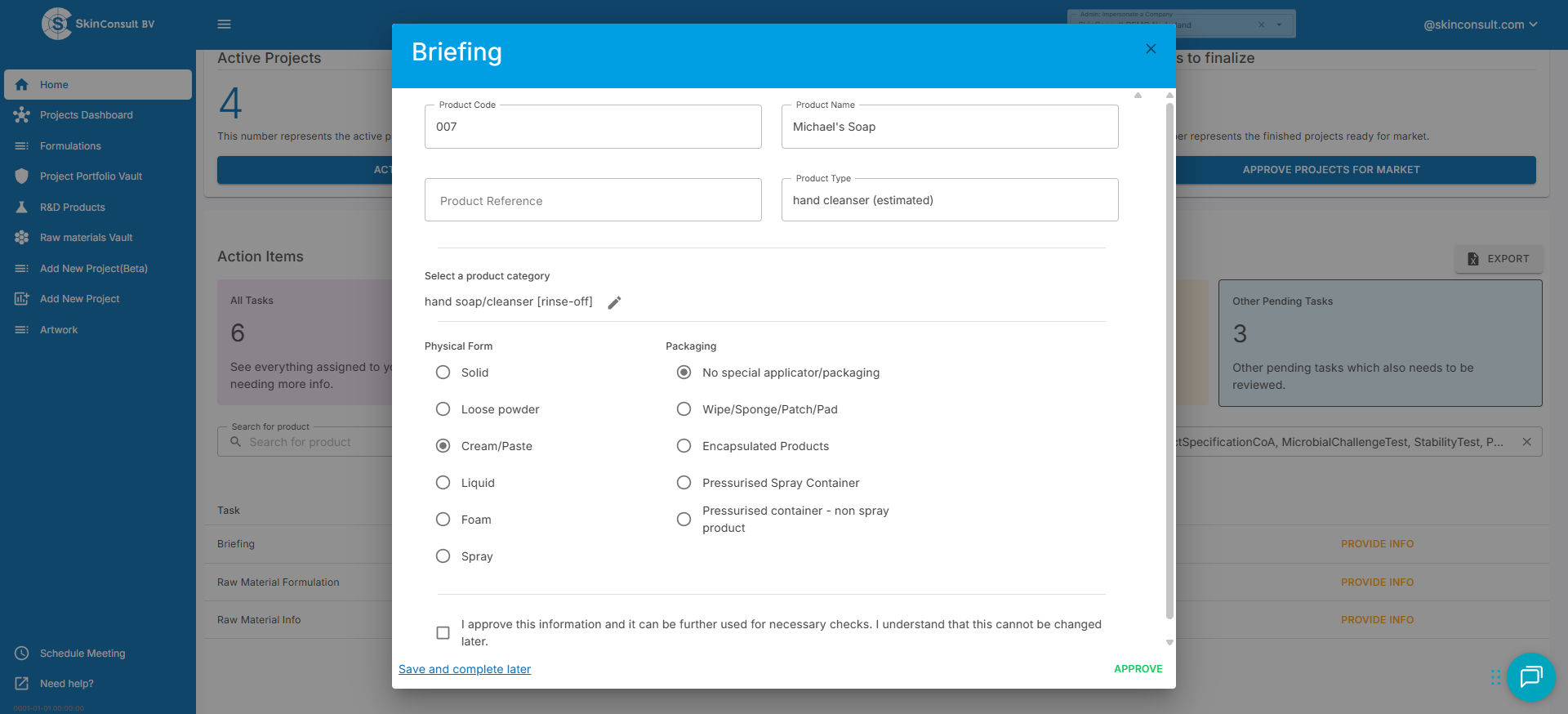
What do I need to know for the briefing page?
First, you must select the product category. Then you’ll need to know the physical form and packaging for this product.
Why is the Briefing page necessary?
The Briefing page will help us during multiple aspects of setting up your PIF. For example, it is important to know whether you will be using a pressurised spray container for warning labels on your final artwork. Finally, we use this data to ensure we perform the CPNP registration correctly.
We hope to have informed you of the Briefing page properly. If you have any questions please don’t hesitate to contact us at office@skinconsult.com
Remember, safety first!