Our SkinApp is supposed to work flawless. In case it does not, a big apology from our side. Use this article to quickly let us know when you encounter a reload-error so we can switfly get it fixed for you.
Our SkinApp is actively being improved which might causes a reload-error from time to time.
In case you encounter one, please do not click the ''reload'' because this will reload your page and you will run into the exact same error when you try to proceed with the action you were trying to do.
Instead, right click on the reload error, click inspect and then click the console tab.
Take a screenshot of this full page (the red parts are where the error is) Next up, send - this screenshot - together with the link of the page you are currently at - if possible a short description of what exactly you where doing to us.
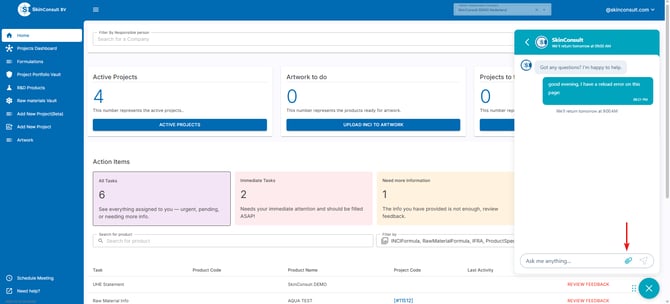
Use either our e-mail office@skinconsult.com or use the quicker way of sending us a message through live chat after which you can add your screenshot:
After this, we will make sure to get it fixed as soon as possible so you can continue using the SkinApp the way you expect it!.
![logo-modified.png]](https://support.skinconsult.com/hs-fs/hubfs/logo-modified.png?width=40&height=40&name=logo-modified.png)