![logo-modified.png]](https://support.skinconsult.com/hs-fs/hubfs/logo-modified.png?width=40&height=40&name=logo-modified.png)
First of all, make sure you are logged in on our SkinApp at https://app.skinconsult.com/ using the credentials we have provided you. If you did not receive credentials, please reach out to us at office@skinconsult.com
After you log in, you will be on the Home page.
For simplicity, we assume you have already created a Project with a Product on the previous step (How-to: Create a Project).
Go to your OTHER PENDING TASKS.
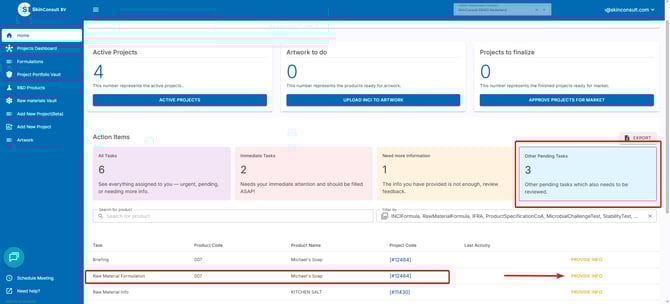
Select PROVIDE INFO for the Raw Material Formulation that you want to provide the formula for.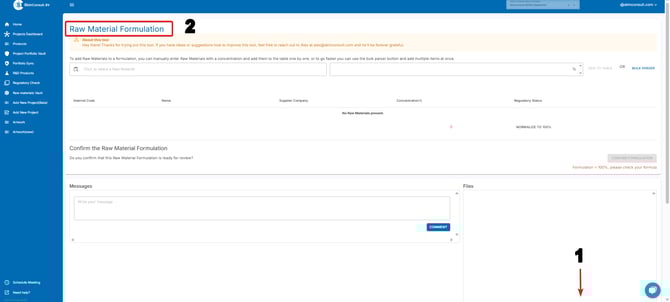
You will now have 2 options on how to proceed:
- 1. Scroll down in the bottom right corner and, click DROP OR CLICK TO ADD FILES & upload a Raw Material Formula file.
After uploading. SkinConsult will process the Raw Material Formula.
Note: please use this page if you want to know more about Raw Material Formulas and how to create them.
- 2. Use the Raw Material Tool. This means you will put the Raw Material Formula in yourself. Please read along for detailed instructions on how to do this yourself!
you can add individual raw materials this way: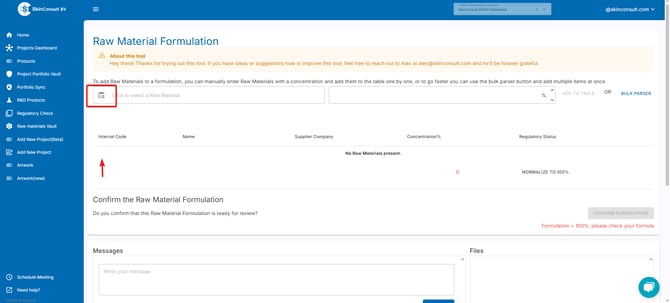 Click this button, the pop-up will give you the option to search for the Raw Material you want to add to the formula.
 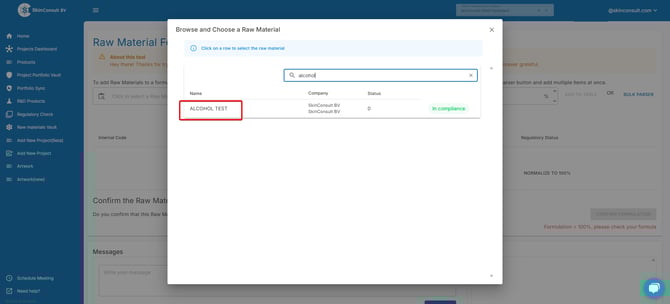 Search the Raw Material you want to add and click on it.
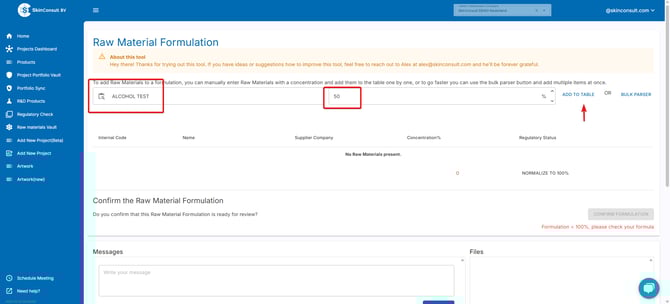
next up, add how many % that Raw Material makes up in the formula and click ADD TO TABLE.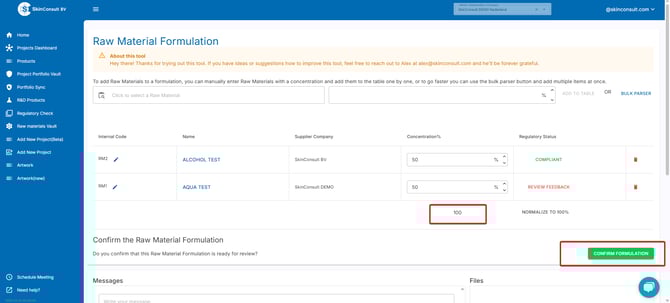
Make sure to add Raw Materials until the concentration is at least 100%.
When you are content with the Raw Material Formula, click CONFIRM FORMULATION.
The second option is to bulk add Raw Materials by using the BULK PARSER button.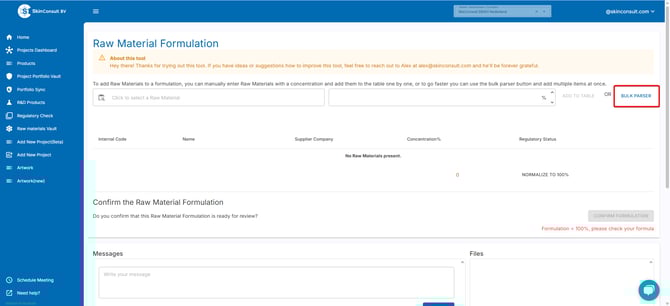
Here, you can bulk add your complete formula using the rows for Codes (RM internal codes), Names (tradenames) & Concentration. 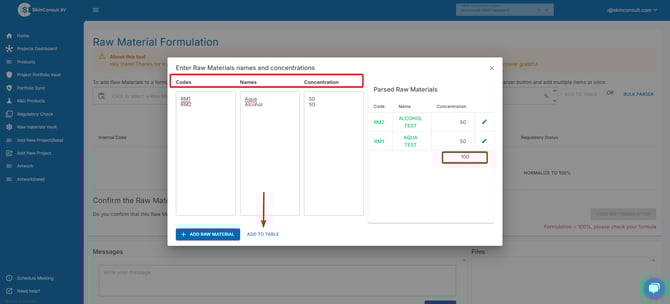
Make sure you add the correct Raw Materials, that the concentration is at least 100% before clicking ADD TO TABLE.Make sure to add Raw Materials until the concentration is at least 100%.
When you are content with the Raw Material Formula, click CONFIRM FORMULATION.