![logo-modified.png]](https://support.skinconsult.com/hs-fs/hubfs/logo-modified.png?width=40&height=40&name=logo-modified.png)
First of all, make sure you are logged in on our SkinApp at https://app.skinconsult.com/ using the credentials we have provided you. If you did not receive credentials, please reach out to us at office@skinconsult.com
After you log in, you will be on the Home page.
For simplicity, we assume you have already provided us with a Raw Material Formula on the previous step (How-to: Raw Material Formula) and we have approved this.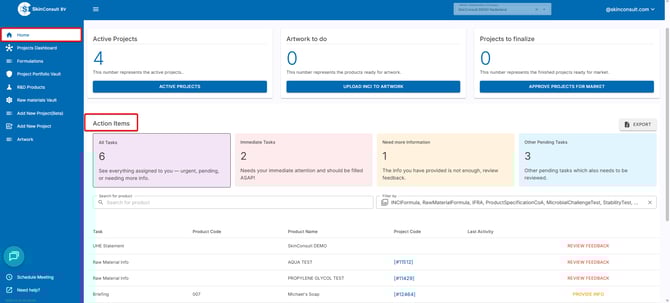
Now, a Raw Material Info page will open up for each individual Raw Material in the product. We are now awaiting documentation from your side in order to check it. All of your Action Items are visible on the Homepage. These are all actions you have to take, meaning if you have multiple projects or products. All of them will appear under your Action Items.
You can filter your action items or search for a specific product if you want to narrow it down.
1. Immediate Tasks --> the information or documentation you provided is not compliant.
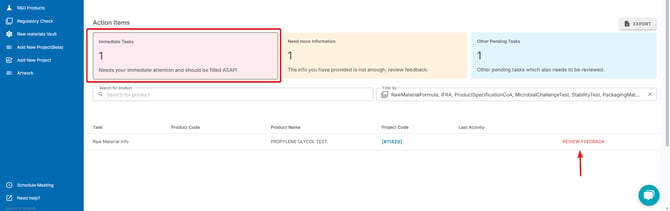
Click REVIEW FEEDBACK and scroll down to see the feedback we have for your Raw Material.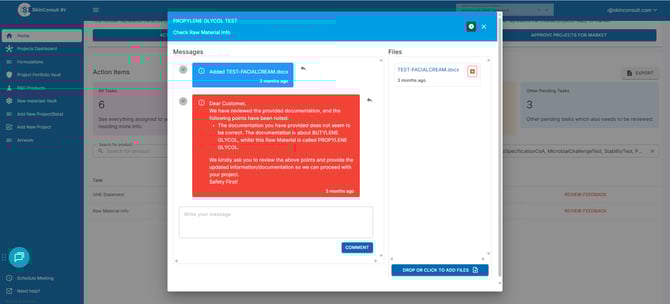
2. Need more information --> we need (additional) information or documentation from you.
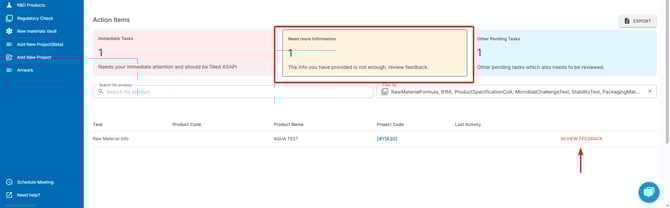
Click REVIEW FEEDBACK and scroll down to see the feedback we have for your Raw Material.
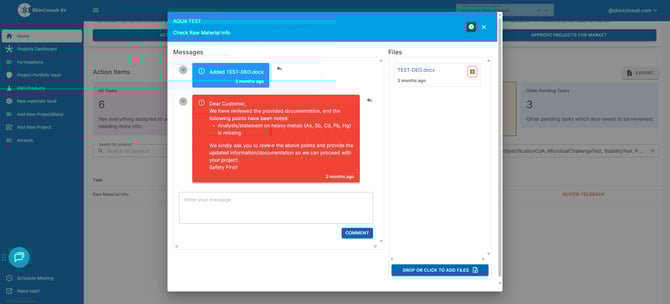
3. Other pending tasks --> we did not receive documentation from you yet for this step.
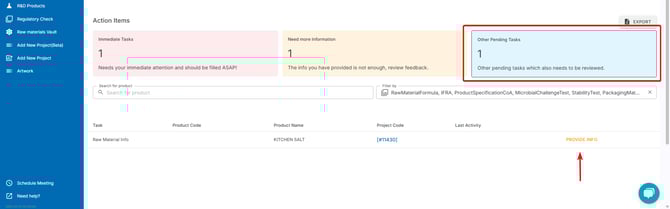
Click PROVIDE INFO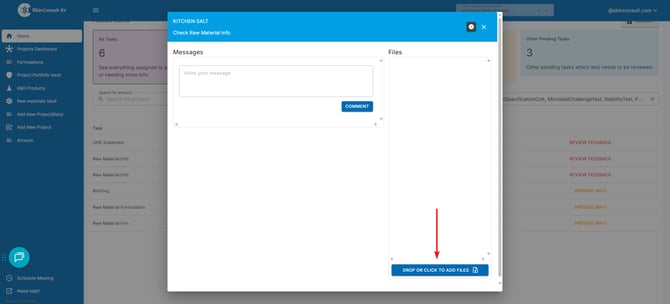
click the ''DROP OF CLICK TO ADD FILES''. Right now you can drop or click to add files for us to check. Click on the ''i''bubble in the top right corner to find information on what we expect from you at this part.
This way, you can keep track of the Raw Materials that are not approved yet and take a look at the comments we placed for this.
Aditionally, you can browse all of your Raw Materials by going to the Raw materials Vault page on the left-side menu. Here you can view a complete overview of only Raw Materials, and no other Product Parts.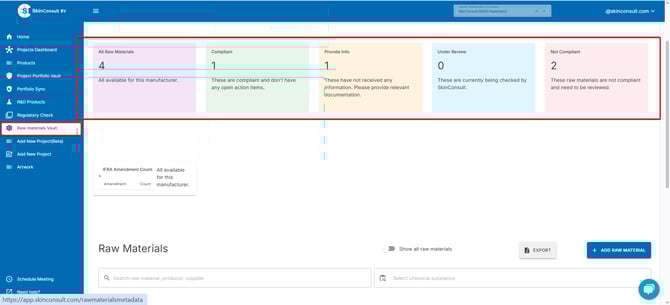
if you scroll down, you can have quick access to all of your Raw Materials and also sort them (by supplier for example), or look for a specific chemical substance.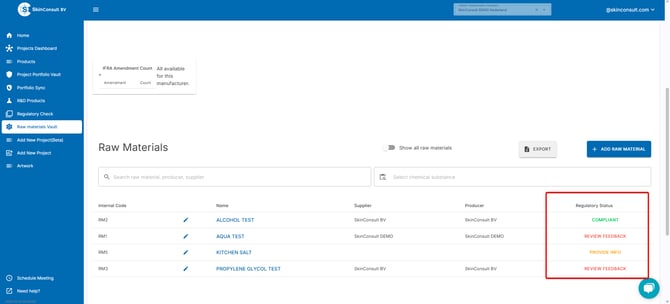
RAW MATERIAL PROTOCOL:
We have made a protocol we use to check whether all documentation is provided for a specific Raw Material. You can view it here so you can check yourself what is needed and whether you have collected all documentation for a specific Raw Material.
We also have some templates for you to use.
Please make sure that the documentation is from, and signed by, the supplier of the Raw Material.
- non-animal testing statement
- cosmetic suitability statement
- composition statement
- impurity (heavy metals) statement